


Guitar Tuner - Simple Tuners
4.6346.00 Reviews
App Specs
- Version
- 1.11.4
- Updated On
- License
- Free
- Downloads
- 5,000,000+
- Developer
- ZipoApps
- Categories
- Music & Audio
- Platform
- Android
Screenshots
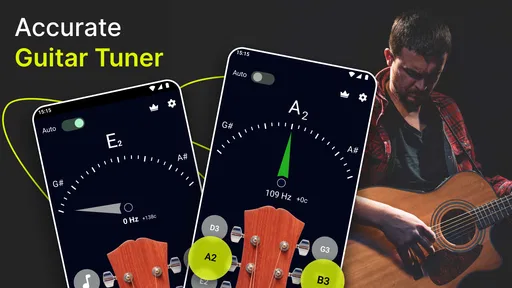
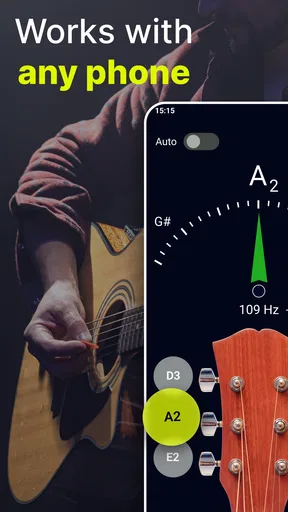
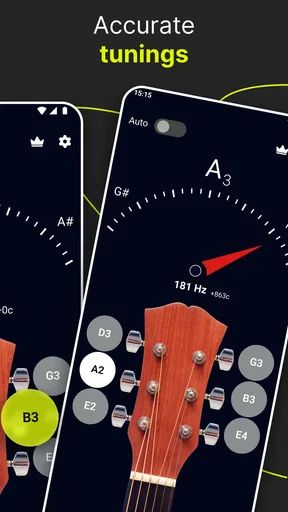
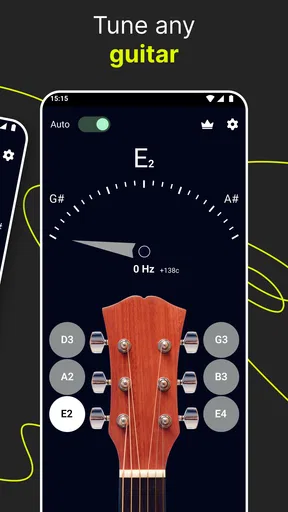
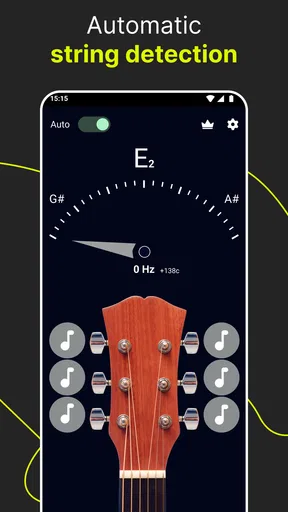
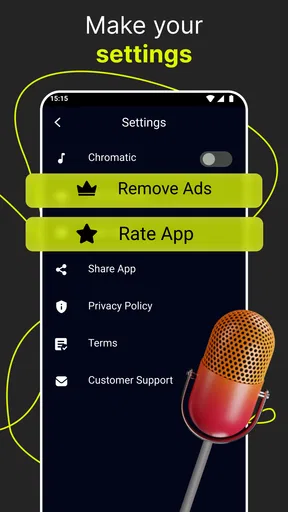
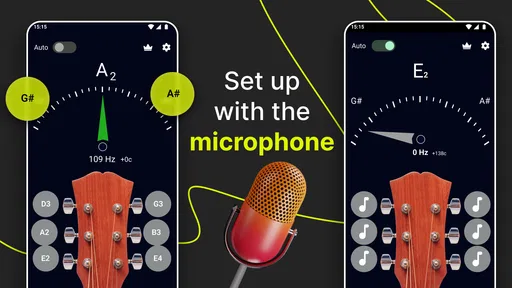
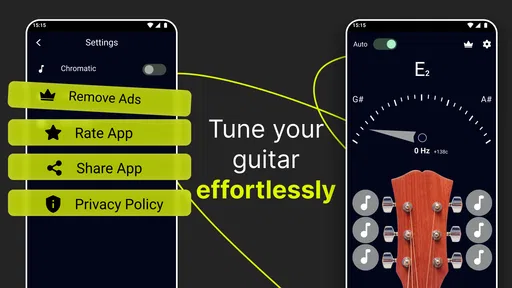
 Analysis by AppCompare
In a shared home, a tuner can earn its place in a surprisingly ordinary way: someone borrows a guitar, someone else has a lesson, or an instrument gets picked up between dinner and homework. I like tools that make those moments easier without turning a quick task into a project. Guitar Tuner - Simple Tuners is aimed at that kind of use: open it, play a string, and work toward a steadier sound. It is a free music and audio app from ZipoApps, and its appeal is the directness of that routine rather than a large collection of extras.
A tuner that fits into shared practice
Picture a guitar left in the living room after one person has finished playing. A sibling wants to try a chord, or a parent wants to check the instrument before a lesson. A phone-based tuner can make that handoff smoother: the next player does not need to rely on whoever tuned it last or ask another person to judge every string. In my view, this app suits households where the guitar is used casually by more than one person, especially when people are at different stages of learning.
That convenience has a practical limit. A phone microphone listens to the sound in the room, so it is easier to tune when the guitar is close to the device and other people pause their conversation or playing. In a busy household, I would treat tuning as a short, focused task rather than expect the app to isolate one instrument from background noise. A quiet corner and one string played clearly can save more time than repeatedly plucking louder.
Simple setup, with sensible boundaries
The app is designed for tuning, not for managing a household’s music life. I would not choose it expecting separate profiles, shared practice schedules, or a way to track which person last adjusted the instrument. Instead, its uncomplicated role can be an advantage: anyone holding the guitar can use the same basic process, without first learning a complicated account system. If your household needs coordinated lesson notes or progress records, those belong in a separate tool.
For a shared phone or tablet, the useful boundary is to keep the device use straightforward: open the tuner when it is time to play, then return the device to its owner afterward. The app is not a substitute for family device settings or supervision. That distinction matters particularly when younger players use a parent’s phone; the tuner can help with the musical task, while the adult remains responsible for the device and its broader settings.
Who will get the most from it
I can see this being a good fit for a beginner who wants a visual indication of whether a note is sharp or flat, a casual player who tunes before picking up a guitar, or a household that also has other string instruments around. The reference note is useful for someone who wants to compare by ear, while the microphone-based display offers a more direct route when ear training is still developing. Those are two different ways to approach the same small job, and having both can make the app welcoming without making the process feel like a lesson.
It is less suitable if your main need is a full music-practice environment, detailed learning plans, or a highly controlled setup for noisy rehearsals. A dedicated clip-on tuner may be a better choice when you need a device attached to the instrument or when nearby sounds make a phone microphone inconvenient. For an occasional tune-up at home, though, using a phone you already have is a sensible alternative to buying another piece of gear.
Worth Reading Before You Choose

Flipboard Shows What News Apps Must Do Beyond the Feed

Switching to Android Auto Means Rethinking Your Driving Routine

Google Calendar Makes a Crowded Week Easier to Manage

Ludo King Makes the Most of the Minutes Between Plans

Baby Panda World Brings Quick Play to Modern Phones, but Its Game Library Feels Busy

ESPN’s Live Game View Makes Following Close Games Easier
Getting Started with Guitar Tuner - Simple Tuners
First things first, installing Guitar Tuner - Simple Tuners is a breeze. Whether you're on Android or iOS, just head over to your app store, hit download, and you're ready to rock. Once installed, the app greets you with a clean, no-nonsense interface, perfect for diving straight into tuning without any hassle.
Tuning Made Easy
The app is a straightforward, user-friendly tuner that offers multiple tuning options. Whether you're a beginner or a seasoned pro, the simplicity is a breath of fresh air. Just select your tuning preference—from standard to drop D, and even some less common tunings—and you're off. The app uses your device's microphone to pick up the sound of each string, showing you in real-time if you're sharp, flat, or spot on.
To make that process more reliable, I recommend treating each string separately instead of strumming a full chord and expecting a useful reading. Let the note ring, then give the microphone a moment to settle on the pitch before making a small adjustment. This is particularly helpful if a shared room has a television, conversation, or another instrument nearby. If readings jump around, move closer to the guitar and reduce competing sound rather than turning the string sharply based on one unstable glance.
Choosing a tuning before you begin is also worth a second look when another person has used the instrument. If someone has left the guitar in a different tuning, selecting the familiar setting without checking could lead you to adjust strings away from the sound they intended. I would first ask what the player wants to play, then choose the matching option. For a beginner, standard tuning is a sensible starting point; for a song that calls for a different setup, the selected tuning should match that plan.
Reading the note, not just the display
I found the accuracy surprisingly good. It's not only quick in detecting pitches but also offers a visual guide for each string, which is a great help if you're still getting the hang of tuning by ear. Plus, the app provides a handy reference note sound, so you can tune by ear if you prefer that old-school approach.
The visual reading is helpful, but it is not a reason to rush. A string can sound unstable just after it is plucked, and a hard pluck may make the note less comfortable to judge. I get better results from a moderate, clean note and a small turn of the tuning peg, checking again after each adjustment. If the string is far from the target, gradual changes are a more cautious habit than trying to correct everything in one move.
The reference tone offers a different kind of practice. A player can listen to the note, play the matching string, and compare the two rather than simply following a visual cue. I would use that option occasionally even when the screen is available: it encourages listening and makes tuning feel less like reading a meter. It is not a replacement for a teacher or a structured ear-training course, but it can make a routine tune-up more attentive.
Why It Stands Out
What really sets this app apart is its combination of simplicity and functionality. There's no need to fumble through endless settings or features you’ll never use. It's all about getting your guitar in tune quickly and efficiently. And let me tell you, when you're in the middle of band practice, that's exactly what you need.
Compared with the usual alternatives, the trade-off is easy to understand. A physical clip-on tuner stays with the instrument and can be convenient when a room is loud, while a phone tuner avoids carrying another device and is handy for a quick check at home. A standalone tuner may also be easier to read at a glance if the phone is being used for a song or lesson. I would keep this app for everyday practice and consider dedicated hardware if tuning in noisy group settings is a frequent problem.
The quick workflow is particularly useful when the guitar is passed between players. One person can choose the intended tuning and check the strings, then hand the instrument over without needing to explain a complicated interface. Still, the app cannot tell the next player why a string was changed or whether the instrument is meant to stay in an alternate tuning. A brief verbal handoff is a small but worthwhile part of sharing an instrument.
Besides guitar, the app supports a range of string instruments, so if you dabble in ukulele or violin, you’re in luck. This versatility makes it a great tool not just for guitarists but for any string musician.
That range can make one household installation more useful, but I would not assume every instrument should be approached exactly like a guitar. The person tuning should select an appropriate option and know which string or note they are checking. For a beginner borrowing a family member’s instrument, asking before changing its tuning is sensible; an instrument may have been set up for a particular song, lesson, or player.
Everyday trust and age context
The app is rated for Everyone, and I can see why a straightforward tuning utility may suit a wide range of ages. A child can use the visual cue with an adult nearby, while a more experienced player can get on with a quick check. The age label is not a promise that every child can tune independently, though. Turning pegs changes string tension, so younger beginners should learn how to make small adjustments and when to ask for help.
For a family deciding whether to install it, the key question is less about account coordination and more about who is responsible for the shared instrument and device. The app does not replace household rules about borrowing a phone, and it does not organize who gets practice time. I would keep the phone owner’s normal supervision in place and make sure everyone knows to return the guitar to the tuning the next player expects.
Keeping It Casual
One thing I really appreciate about the app is its lack of ads and in-app purchases. In a world where every app seems to be trying to upsell you, it’s refreshing to find one that just does its job without interruptions. It’s perfect for those moments when you need to tune up quickly before a performance or practice session.
For a household deciding whether to try it, the practical store details are straightforward: it is free to install, has a 4.6 average from around 24 thousand ratings, and has been installed over a million times. The current release is version 1.11.4, and it is listed for Android 6.0 or newer. The app does include optional in-app purchases priced from 99 cents to $99.99 per item, so I would not describe it as entirely free of purchase options. The original impression of an ad-free, interruption-free experience should also be weighed against that purchase information rather than treated as a guarantee that every user sees the same setup.
If you are checking costs before handing a shared device to a younger player, remember that an in-app purchase range does not tell you which items might be relevant to your household. Use the device’s usual purchase safeguards, and make sure the person using the phone knows whether purchases are allowed. That is sensible for any shared app, even one whose main job is tuning a guitar.
A realistic household verdict
My preferred scenario is modest: a guitar comes out before a lesson, one person opens the tuner, and the room gives each string a moment of quiet. The player checks the intended tuning, makes gradual adjustments, and uses the reference sound when they want to listen more closely. Then the phone goes back to its owner and the instrument is ready to play. That is where this app feels most useful—not as a household organizer, but as a simple shared aid that lowers the effort of getting started.
I would skip it as the only solution if the family regularly tunes in a loud room, needs a tuner physically attached to the guitar, or expects the app to manage multiple players and their practice routines. I would also choose another kind of music tool if the real goal is lessons, song libraries, or detailed progress tracking. For a home where people mainly want to check a string instrument before playing, a phone-based tuner is a reasonable first option; dedicated hardware becomes more attractive when the room or routine makes microphone use inconvenient.
Final Thoughts
In a nutshell, Guitar Tuner - Simple Tuners does exactly what it promises: tunes your guitar (and other string instruments) simply and effectively. While it might not have all the bells and whistles of some other apps, its straightforward approach and reliability are exactly what make it an essential tool for any musician. Whether you're a beginner or a pro, this app is worth having in your toolbox.
If you’re ready to give your instrument the tuning it deserves, you can download the app directly from your device’s app store. Happy tuning!
Pros
- User-friendly interface for quick tuning
- Wide range of tuning modes available
- Accurate pitch detection
- Works offline without internet
- Compatible with various string instruments
Cons
- Ads can be intrusive during use
- Limited features in free version
- No support for alternate tunings
- Interface lacks customization options
- Requires microphone access to function
FAQs for Guitar Tuner - Simple Tuners
What platforms is Guitar Tuner - Simple Tuners available on?
Guitar Tuner - Simple Tuners is available for both Android and iOS devices. You can download it from the Google Play Store for Android devices, and from the Apple App Store for iOS devices. It's designed to work seamlessly on most smartphones and tablets, ensuring accessibility for all users.
Does Guitar Tuner - Simple Tuners require an internet connection to function?
No, Guitar Tuner - Simple Tuners does not require an internet connection for its core tuning functionalities. This means you can use the app to tune your guitar anywhere, whether you're at home, in a studio, or on the road. However, an internet connection might be needed for updates or additional features.
What types of instruments can Guitar Tuner - Simple Tuners tune?
While primarily designed for guitars, Guitar Tuner - Simple Tuners can also be used to tune a variety of stringed instruments. These include bass guitars, ukuleles, and violins. The app offers different tuning modes to cater to each instrument, making it versatile for musicians with diverse needs.
Are there any ads or in-app purchases in Guitar Tuner - Simple Tuners?
Yes, Guitar Tuner - Simple Tuners may contain ads and offer in-app purchases. These purchases typically include features such as additional tuning modes, ad removal, or enhanced functionalities. While the basic tuning features are free, the premium options can enhance the user experience for those interested.
How accurate is Guitar Tuner - Simple Tuners?
Guitar Tuner - Simple Tuners is designed to provide highly accurate tuning, using advanced algorithms to ensure precision. It is suitable for both beginner and professional musicians who require reliable tuning. The app's interface is user-friendly, making it easy to quickly and accurately tune your instrument.


